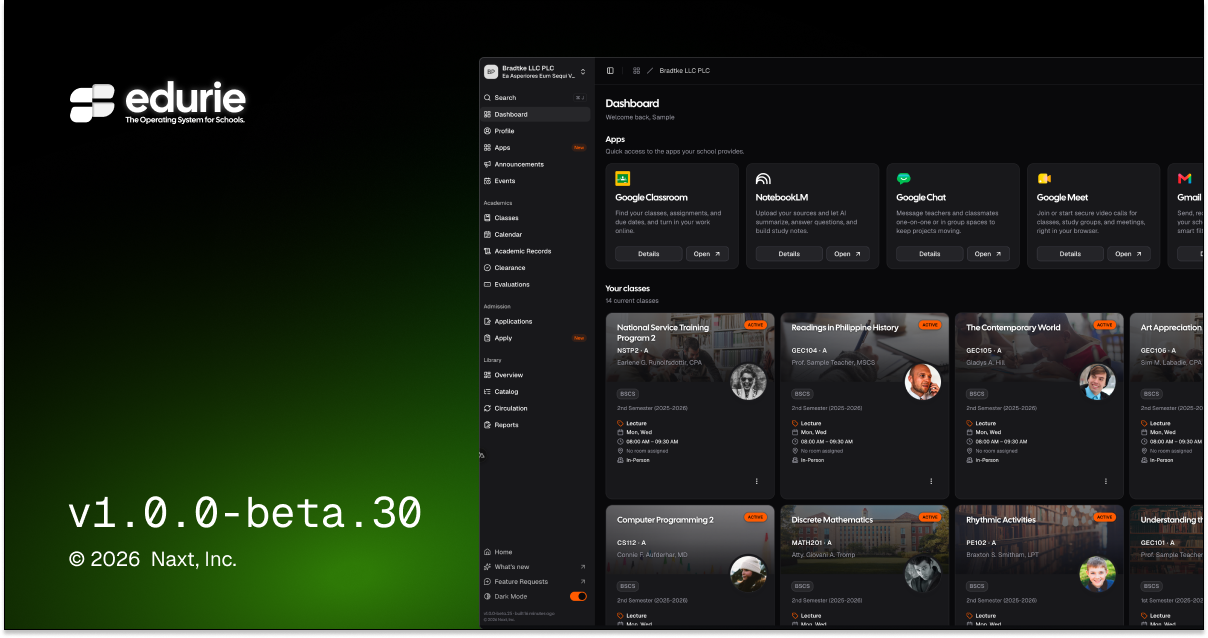
v1.0.0-beta.30
📌 Summary
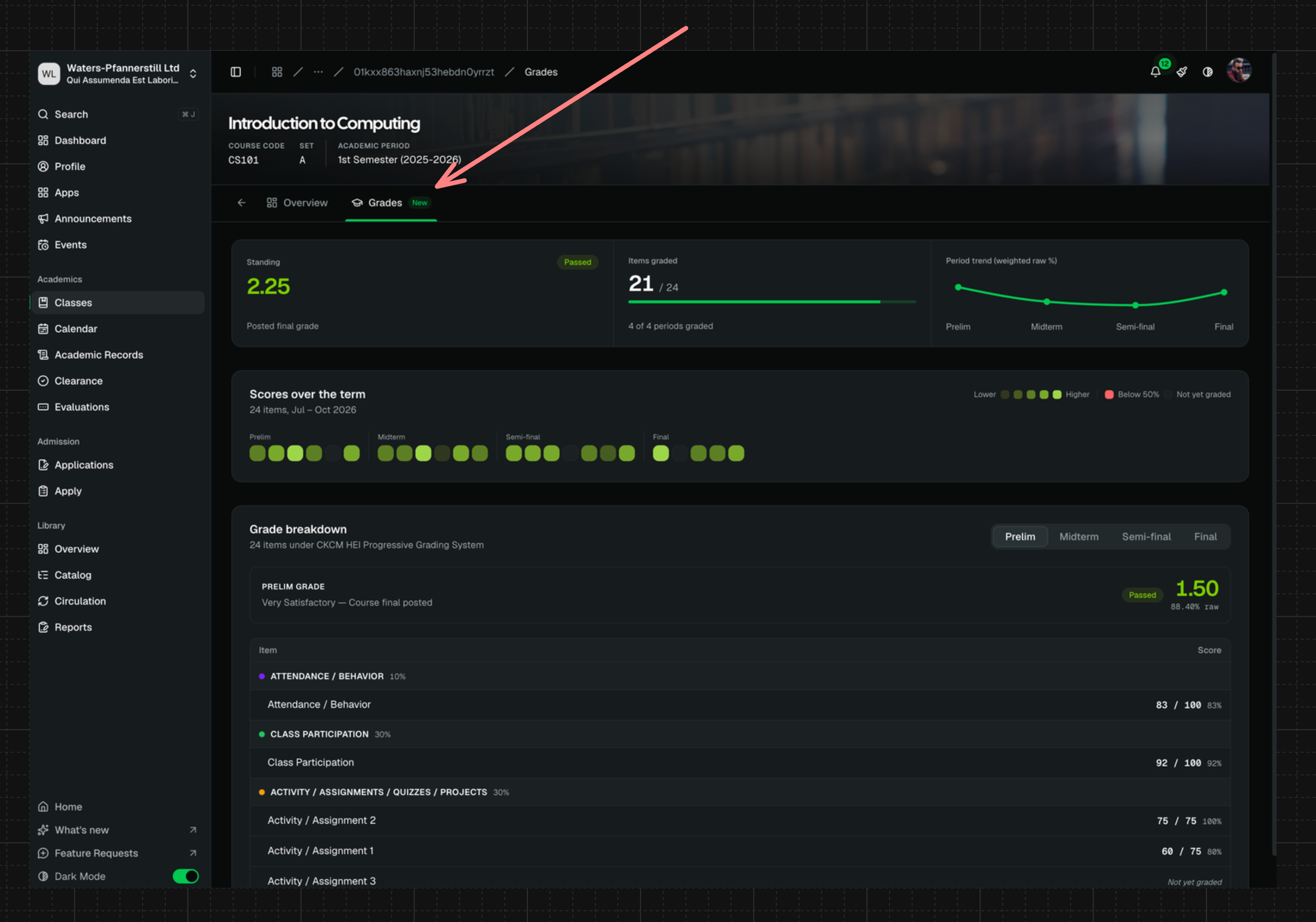
Students can now review published grades directly from each class, including running standing, period details, and posted final outcomes.
Teachers get faster grade entry and clearer grade visibility controls in the Gradebook.
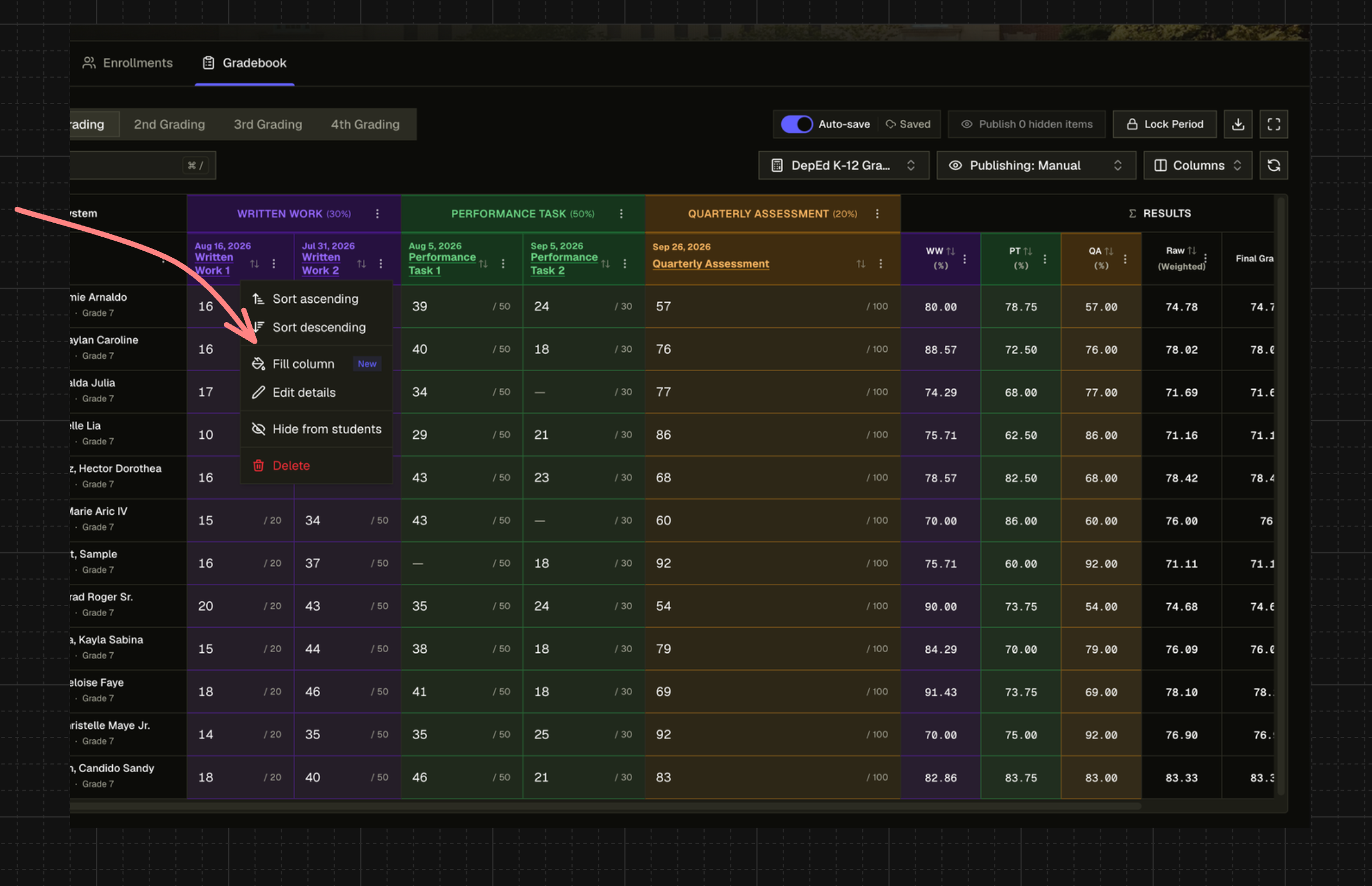
Fill the entire column to speed up repetitive grade entry. Schools can define default grade publishing behavior, with class-level flexibility.
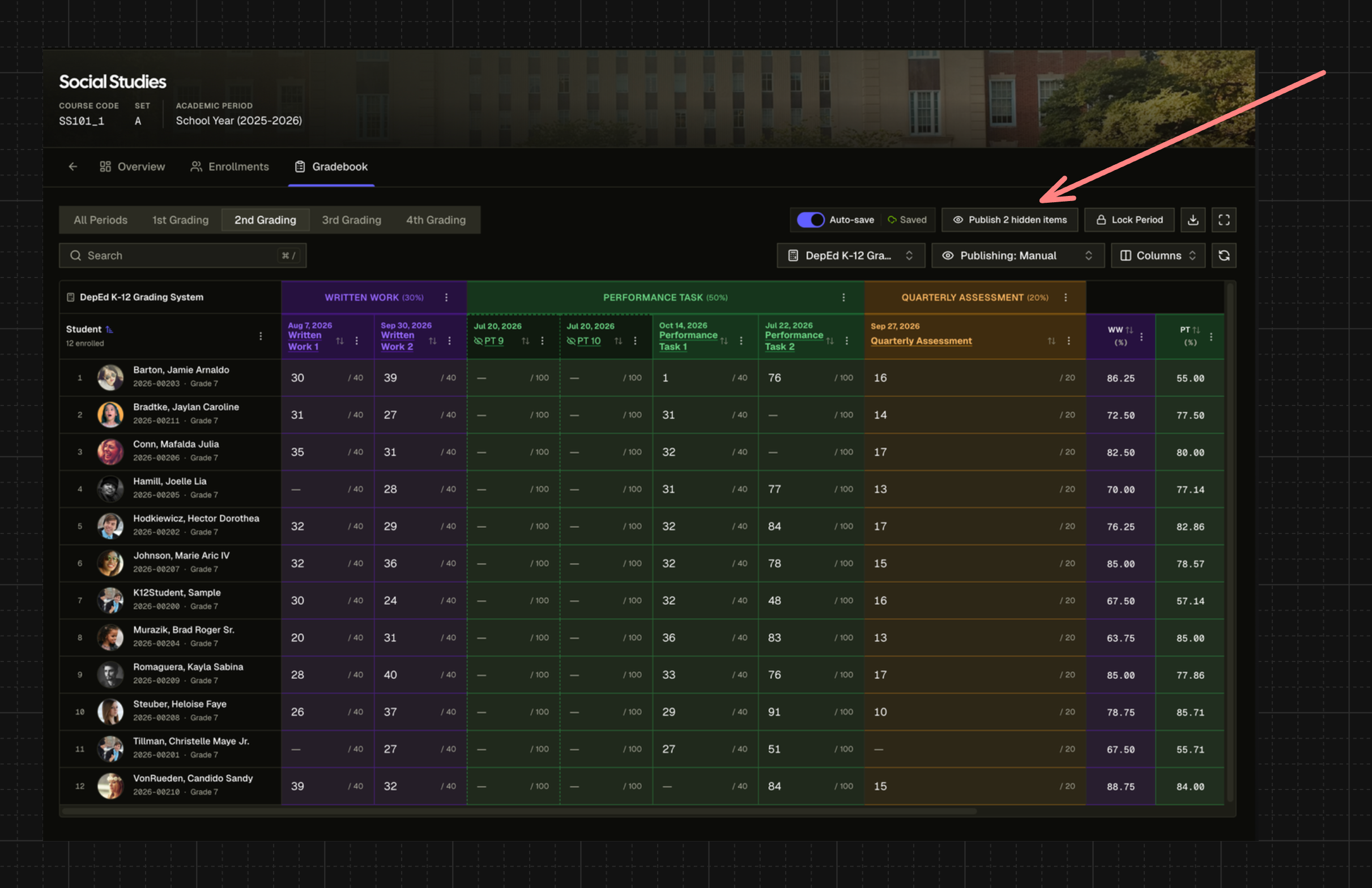
You can now publish all unpublished grade items at once. 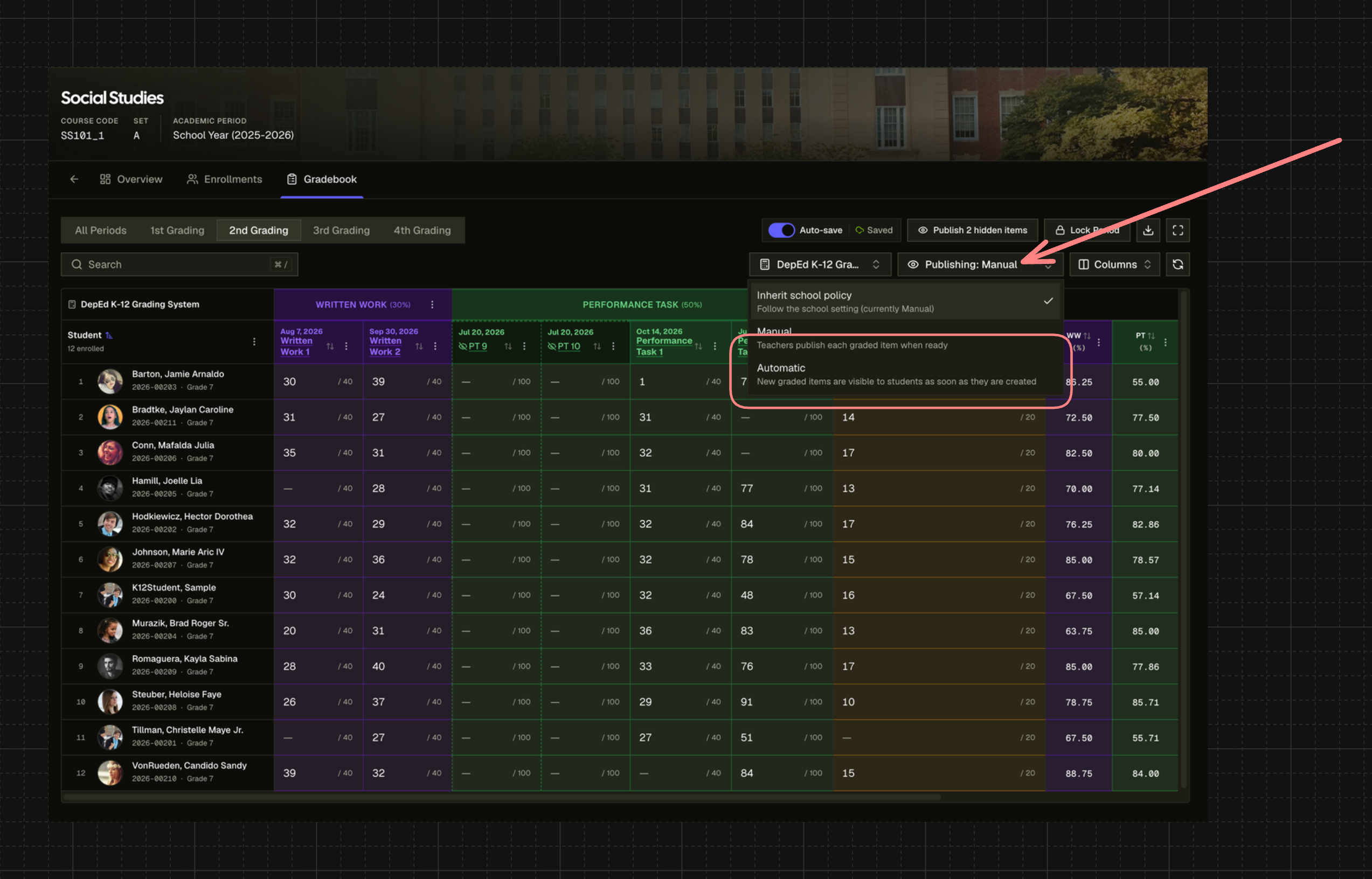
You can now enable automatic grade publishing whenever you create a grade item. Signup verification and in-app update prompts are more reliable.
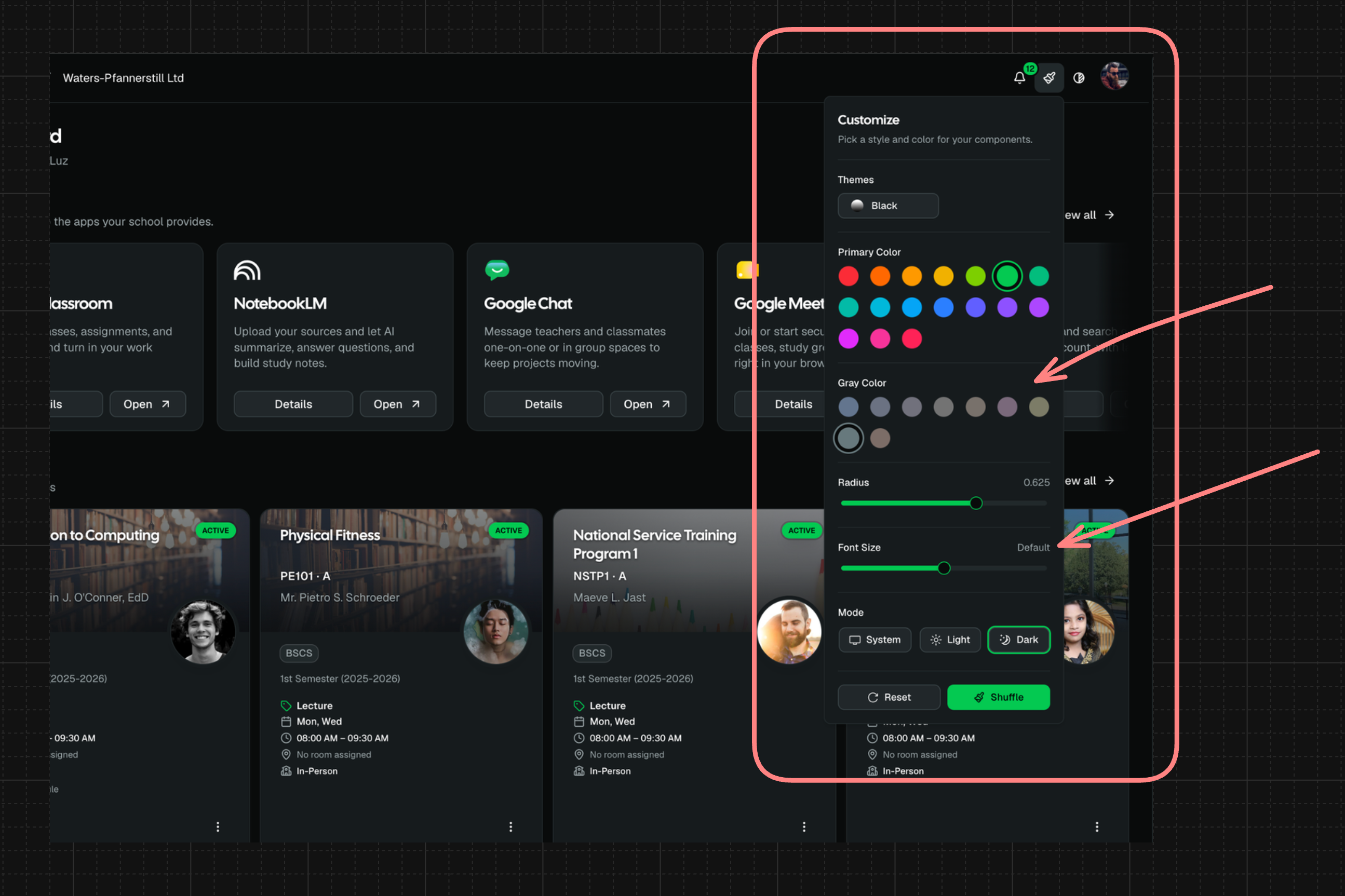
You can now adjust the app's font size across the app and choose new theme colors through the Theme Switcher.
✨ What’s New
Classes
Students now have a Grades tab on each class page showing published grade items, component breakdowns, period grades, and current standing.
Students receive in-app notifications when grades become visible; rapid or bulk publishing is grouped to reduce notification noise.
Gradebook
School admins can set a default grade publishing policy, while individual classes can inherit or override that setting.
Teachers can publish all hidden grade items for a selected grading period in one action, with clear confirmation before students are notified.
Teachers can use Fill column to enter the same score, max score, or clear values across visible students, with safeguards for existing scores and an Undo option.
🛠 Improvements
Gradebook
Grade item visibility language is clearer: teacher-facing statuses now use Hidden and Published.
Gradebook rows and score columns are more compact, helping teachers see more students and grade items at once.
Score cell focus now behaves more like a spreadsheet, with a clear full-cell selection outline.
Locking a grading period now clearly explains when hidden items will become visible and start counting for students.
Classes
The student Grades tab now handles more situations gracefully, including no grades yet, posted final grades without item-level details, dropped classes, temporary load errors, and grading structures where items are not published yet.
Grade period selection and mobile layouts on the student Grades tab have been polished for easier review.
🩹 Fixes
Gradebook
Hidden grade items and scores are no longer visible to students before teachers publish them.
The first-row score cell focus outline no longer gets clipped beneath the sticky Gradebook header.
Onboarding Flow
New users can now resend the signup email verification code from the registration verification step.
App experience
The “New version available” prompt now appears during active app sessions, so users can reload into the latest version without needing to manually refresh first.