v1.0.0-beta.25
📌 Summary
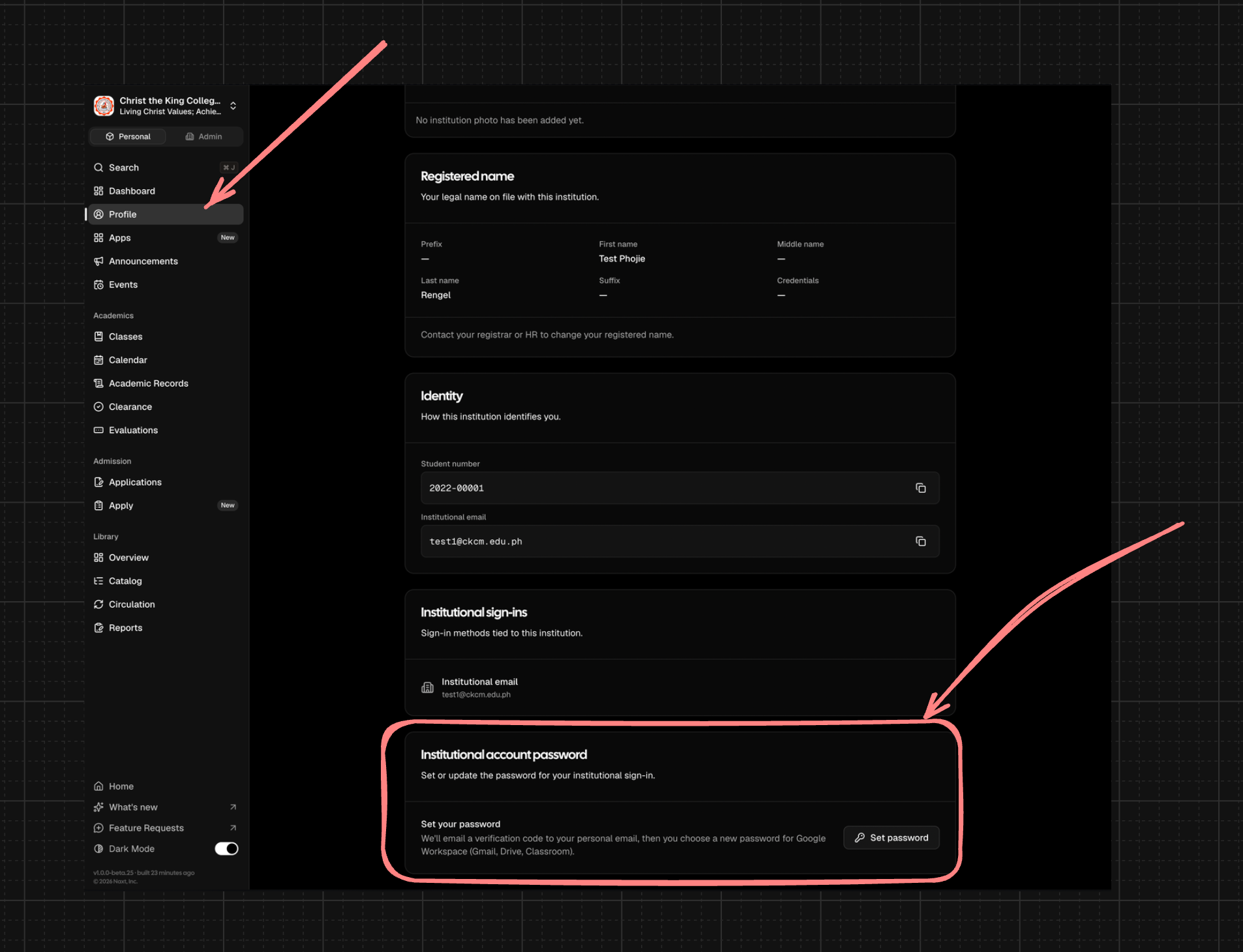
School users can now set or reset their connected institutional Google Workspace password through a secure self-service flow.
Registrars can manage an already-enrolled student’s section and class list from the Pre-Enrollment tab.
List searches and page-size changes now show results reliably, even when starting from a later page.
Class cards now align more consistently across dashboards and class listings.
✨ What’s New
Integrations
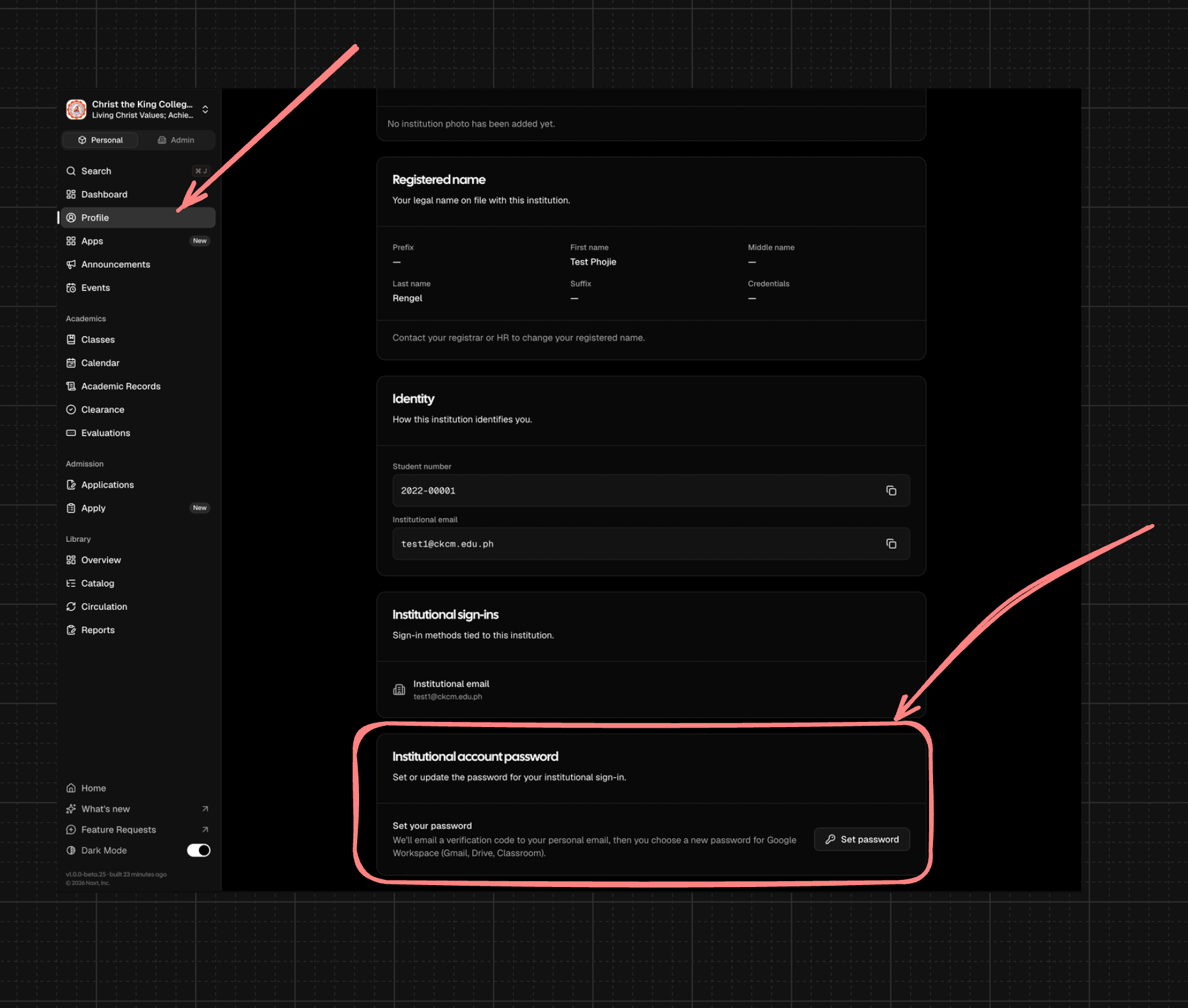
School users with connected institutional Google Workspace accounts can reset their own password from their Profile page after email verification.
Newly provisioned institutional accounts can receive an account-ready email with the user’s institutional email address and a secure password setup link.
Classes
Registrars can now use Manage classes after admission conversion to update an enrolled student’s section and class load from the Pre-Enrollment tab.
Class updates continue to follow existing enrollment rules, including capacity checks, billing behavior, notifications, and connected classroom roster sync where enabled.
🛠 Improvements
Classes
The Pre-Enrollment tab now reflects the student’s live enrolled class load after conversion, including updated class tables and summary information after changes are saved.
🩹 Fixes
Admin experience
Fixed list searches and page-size changes so tables return to the first page automatically when results change, preventing empty tables when matching records exist.
Fixed permission handling so school admins with the appropriate access can complete enrollment override workflows consistently.
Classes
Fixed class card alignment on the dashboard and Classes page so titles, program badges, term, enrollment, and schedule details line up more consistently across cards.