v1.0.0-beta.34
📌 Summary
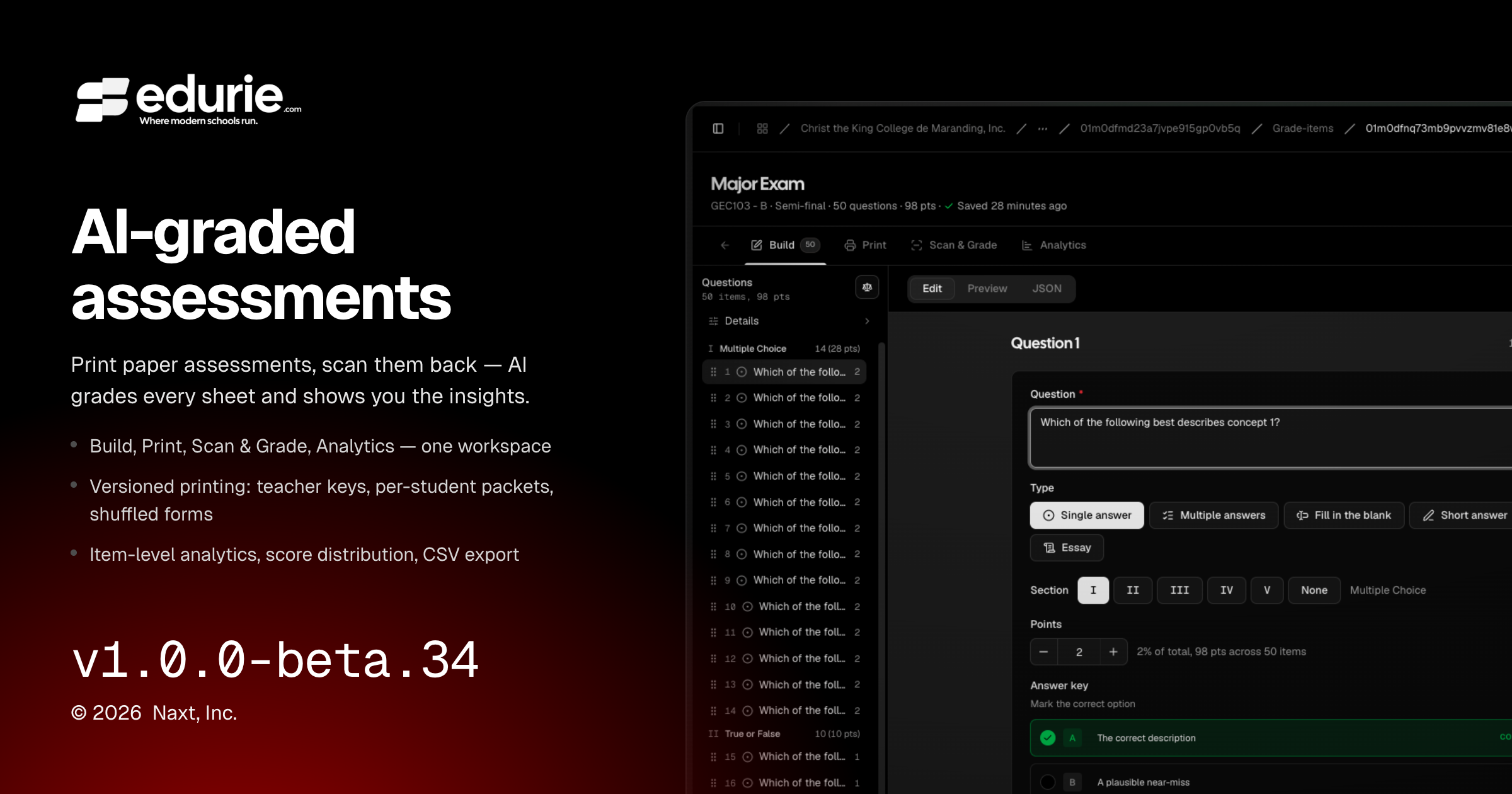
Expanded the assessment workspace with richer Build, Print, Scan & Grade, and Analytics experiences.

Build — outline rail, question editor, and AI-assisted authoring 
Print — version-based papers, shuffled forms, and answer sheet packets 
Scan & Grade — step-by-step grading runs from upload to posting 
Analytics — class performance and item-level quality at a glance Added run-aware grading workflows so make-up or re-scanned assessments can be reviewed and posted more clearly.
Improved school branding and avatar fallbacks across mobile and user profile surfaces.
Fixed sign-in, class layout, and Google Workspace photo sync issues that could interrupt common workflows.
✨ What’s New
Assessments & grading
The Analytics tab now shows assessment insights, including cohort performance, score distribution, item-level results, review indicators, and CSV export.
The Build tab has a refreshed workspace with an outline rail, edit/preview/JSON views, read-only student preview, and improved question editing surfaces.
The Print tab now supports version-based printing, including downloads by build, paper size selection, fullscreen preview, teacher key copies, per-student packets, and shuffled forms.
Scan & Grade now organizes uploads into grading runs with a clear step-by-step flow from upload through review and posting.
Short-answer questions can now include required keywords. Missing required terms are flagged for review without changing the rubric-based score.
🛠 Improvements
Assessments & grading
Printed answer sheets are now tied to the assessment version they came from, so older printed sheets remain scannable even after an assessment is updated.
Grading history is now preserved by run, making make-up attempts and re-scans easier to review while keeping the latest posted result clear.
Integrations
Google Workspace photo syncing now handles rate limits more reliably, helping school-managed photos complete successfully during larger syncs.
🩹 Fixes
Admin experience
Mobile headers now show the current school’s logo, with initials used as a fallback when no logo is available.
Outdated or broken user avatar links now fall back to initials instead of showing broken image placeholders.
Sign-in
Google and Microsoft sign-in now handle accounts with missing optional profile fields more gracefully instead of failing during login.
Classes
The class detail Overview and Grades tabs now use consistent page width on large displays, matching the rest of the class workspace.
Integrations
Google Workspace photo imports no longer drop work when temporarily rate-limited.