v1.0.0-beta.41
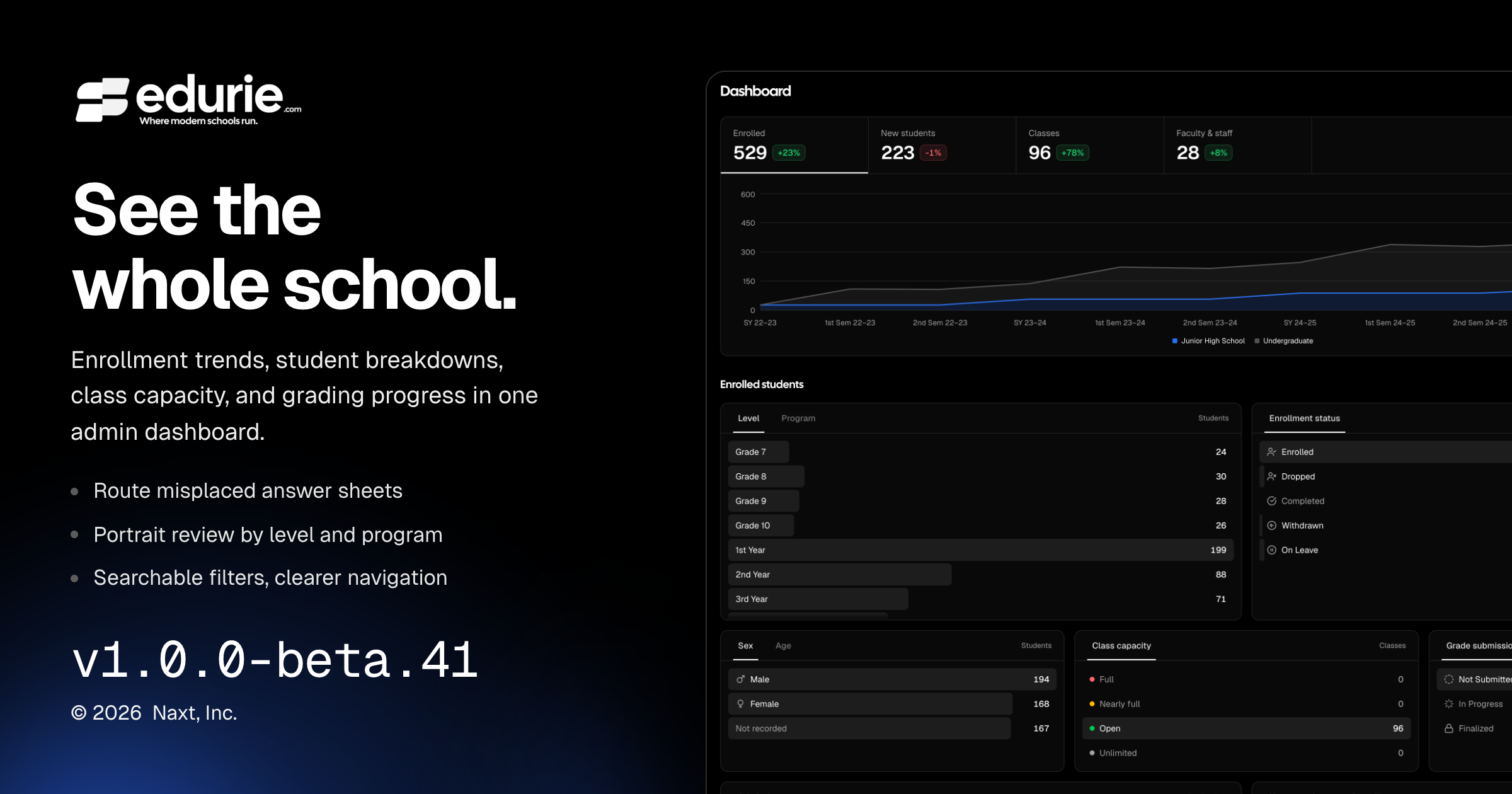
📌 Summary
School admins can explore enrollment trends, student breakdowns, class capacity, and grade submissions from an expanded dashboard.
Teachers can route mixed answer-sheet scans to the correct class and assessment, while portrait capture, imports, and review are easier to use.
✨ What’s New
Admin dashboard: Filter by academic period, compare key metrics over time, and view student demographics, admissions, class capacity, and grading progress. Sidebar counts highlight work awaiting attention.
Gradebook: Send misplaced answer sheets to their own class or assessment. For unreadable scans, choose a student from classes of the same course and period that you may grade, then select the destination assessment. Scores use the correct answer key and reach the gradebook only after review and confirmation there.
Portraits: Filter the review queue by level, program, section, and card type—including the No capture tab to find students still missing photos.
🛠 Improvements
Filtering: Choose students, classes, periods, programs, and other records from searchable lists instead of entering record IDs.
Navigation and messages: Breadcrumbs show recognizable page and record names. Empty states and error messages are clearer, and success confirmations identify the affected record without repetitive wording.
🩹 Fixes
Academic records: Manually added students receive student numbers, and applicants added as students become active. School admins can activate applicants directly, while submitting an application no longer overrides an existing suspension.
Forms and admissions: School users can open forms and approvals, submit responses and attachments, view form results, and submit or withdraw admission applications without errors.
Billing: Transaction activity shows student names, and payment headers identify the payer.
Integrations: Google Workspace’s overview accurately describes supported capabilities. Unavailable integrations display Coming soon rather than instructions to connect.
Portraits and ID cards
Portrait capture keeps the camera and shutter accessible on phones, with consistent capture, review, and settings controls. Review navigation no longer overlaps the close button.
Dragging photos, folders, or ZIP files into Import photos now works, and unreadable batches show an error. Portrait crops stay within the photo and preserve the framing shown in Adjust.
ID-card QR codes honor the selected color across previews, digital IDs, printouts, and exports. You can remove the white background, while colors that are too light against white are rejected.
Admin experience
Dashboard access now requires active school membership, preventing access by unrelated accounts or inactive, suspended, and applicant memberships.
Mobile tabs, menus, and dialogs display correctly. Scan-review answers and gradebook controls remain usable in narrower layouts, sidebar navigation scrolls as one list, and icon-only actions have clearer tooltips and screen-reader names.